DALI ⋅ KATCH G2 ⋅ Product manual ⋅ English ⋅ 🇬🇧
1. Introduction

Welcome to the DALI KATCH G2, and thank you for trusting DALI with your portable music.
The DALI KATCH G2 takes the features and performance of the original DALI KATCH. It brings evolution to bear, with new colours, longer battery life, enhanced Bluetooth 5.0 aptX HD wireless performance, and a True Wireless Stereo mode that lets two DALI KATCH G2 speakers pair and play stereo.
However, some things just cannot be improved, and the DALI KATCH G2 borrows its predecessor’s stylish Danish design, vivid multi-driver sound, and exceptional build quality. The newly evolved DALI KATCH G2 is the latest word in compact portable music.
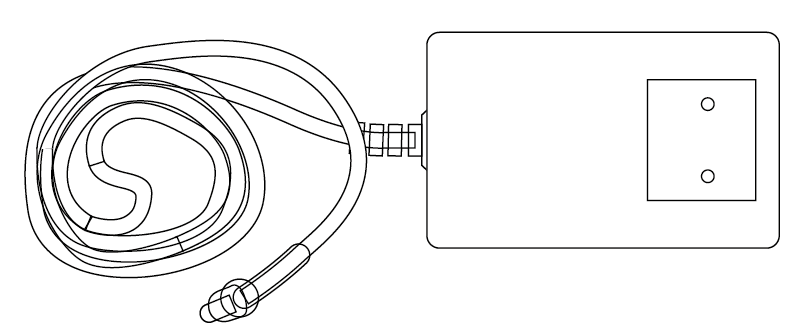
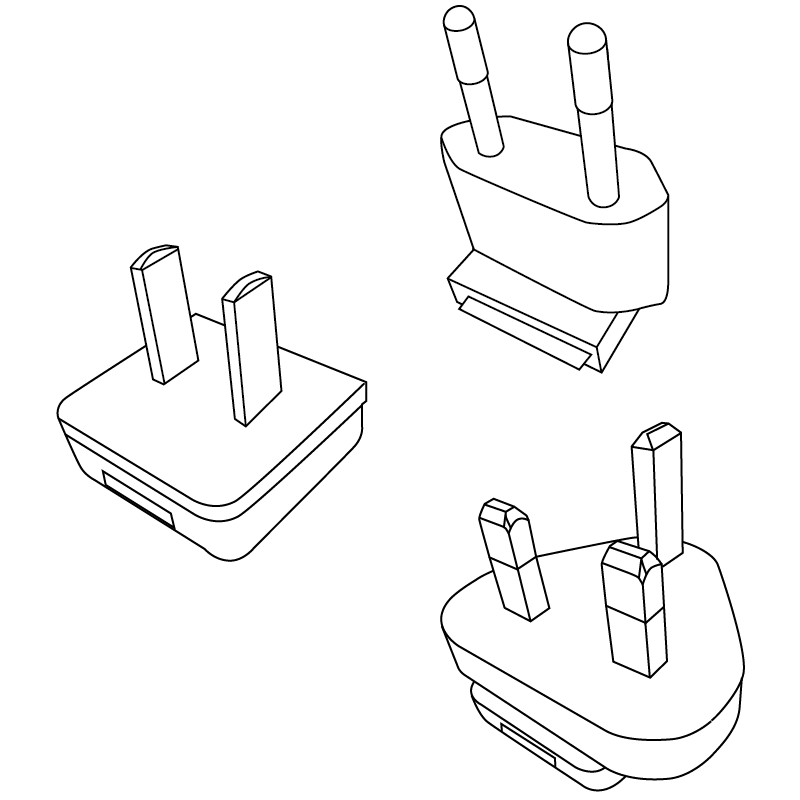
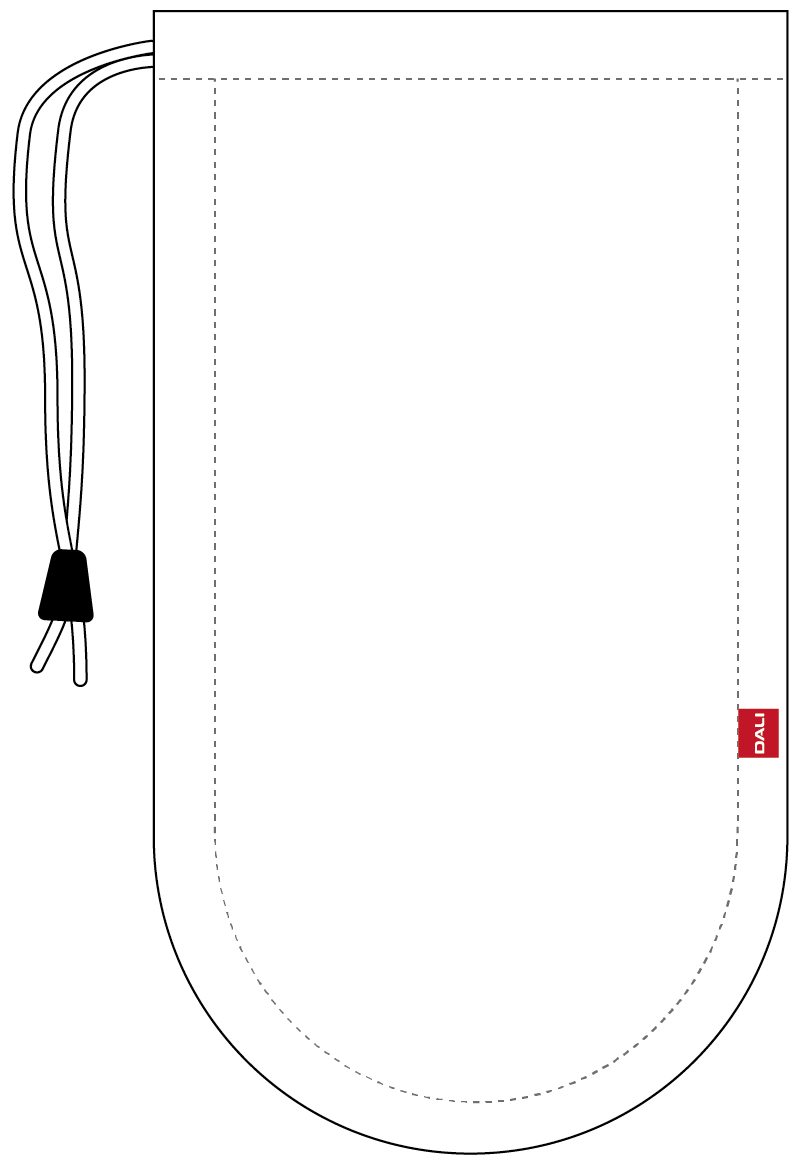
Your DALI KATCH G2 packaging contains:
- Universal mains charger (1.75 m cable length)
- Quick start guide
- Mains charger plugs
- Travel bag
2. Getting to know your DALI KATCH G2
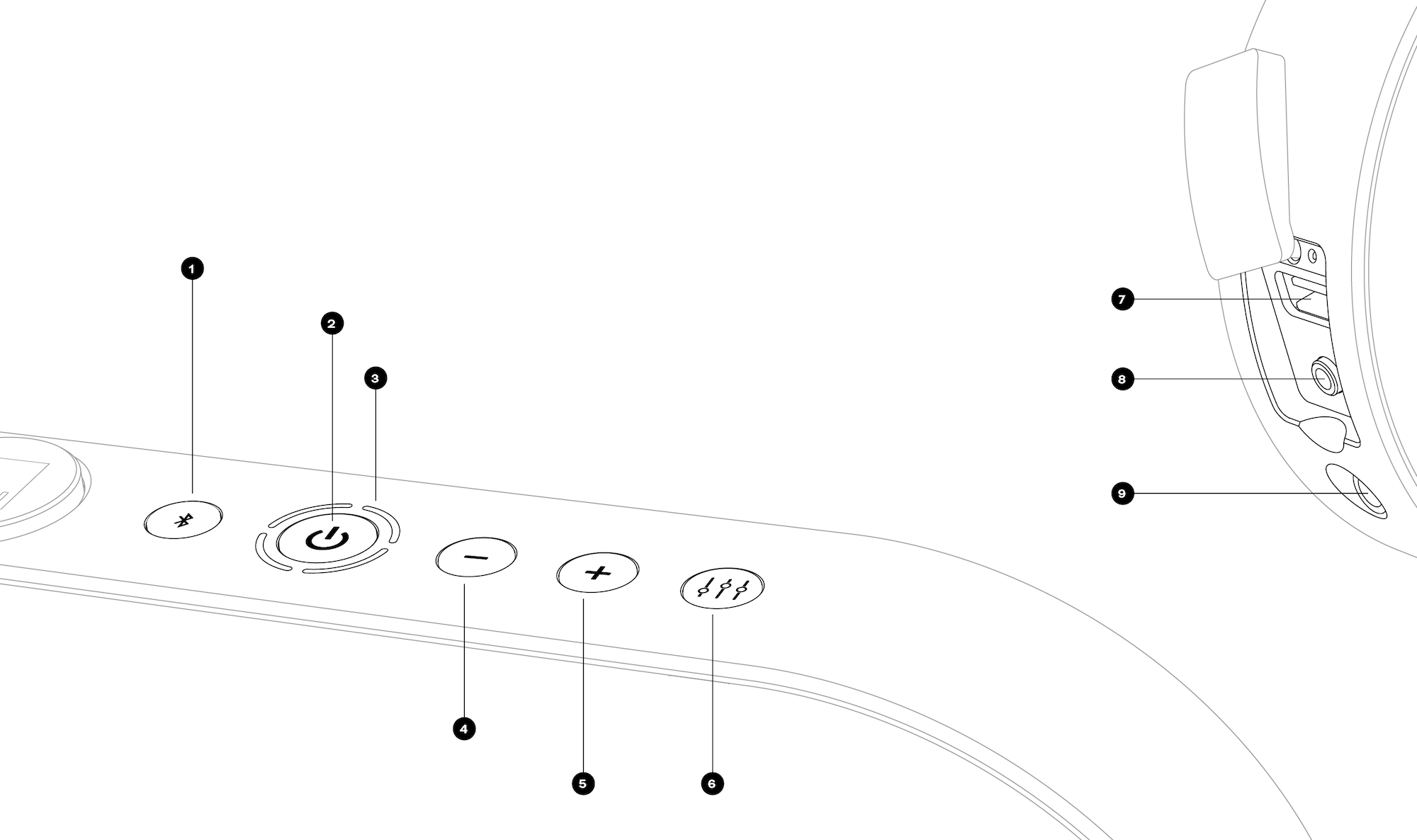
- Bluetooth release
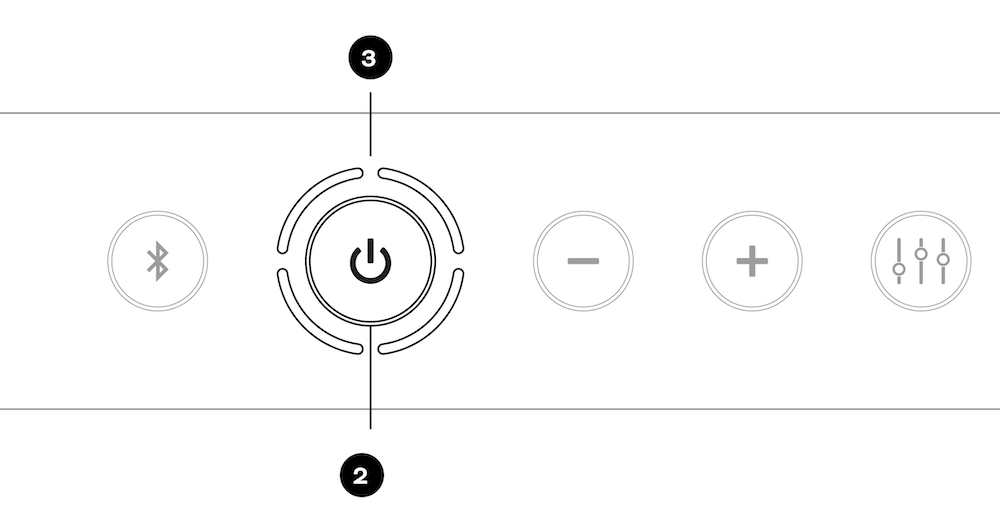
- Power on/off button
- Indicator lights
- Volume down button
- Volume up button
- Sound mode toggle
- USB charge output socket
- Stereo mini-jack input
- Mains charge input
3. Switching the DALI KATCH G2 on and off
Switching the DALI KATCH G2 on
To switch on your DALI KATCH G2:
- Press and hold the Power On/Off button (Button 2) until the switch-on sound plays.
- The indicator lights (3) will illuminate to show that the DALI KATCH G2 is ready for use.
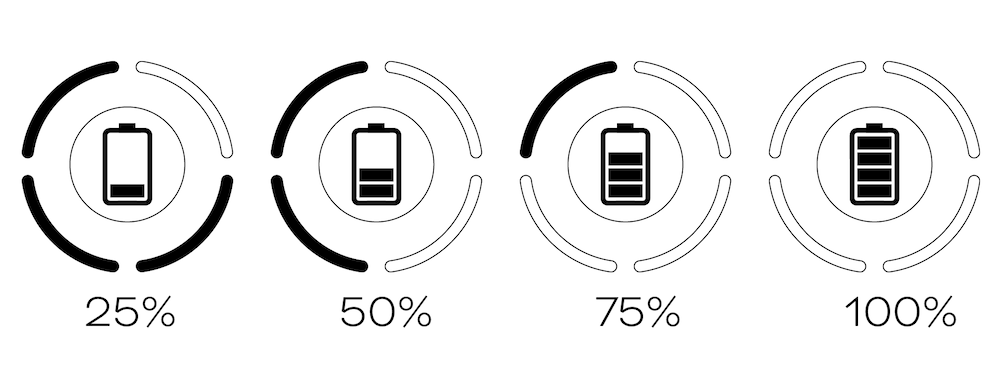
When your DALI KATCH G2 is switched on, the indicator lights (3) show the battery charge state.
If your DALI KATCH G2 does not switch on, connect it to mains power via its charger.
Switching the DALI KATCH G2 off
To switch off your DALI KATCH G2:
- Press and hold the Power On/Off button (Button 2) until the switch-off sound plays.
- The indicator lights (3) will switch off unless the DALI KATCH G2 is connected to mains power via its charger.
If your DALI KATCH G2 remains unused for 20 minutes while running on battery power, it will switch off automatically.
4. Volume control
Turning the volume down
To reduce the volume of your DALI KATCH G2, press the volume down button (Button 4).
To reduce the volume quickly, press and hold the volume down button (Button 4).
Turning the volume up
To increase the volume of your DALI KATCH G2, press the volume up button (Button 5).
To increase the volume quickly, press and hold the volume up button (Button 5).
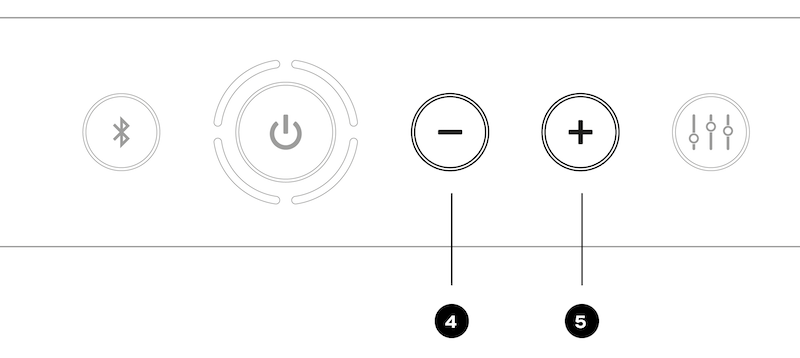
4 – Volume down
5 – Volume up
Volume indicators
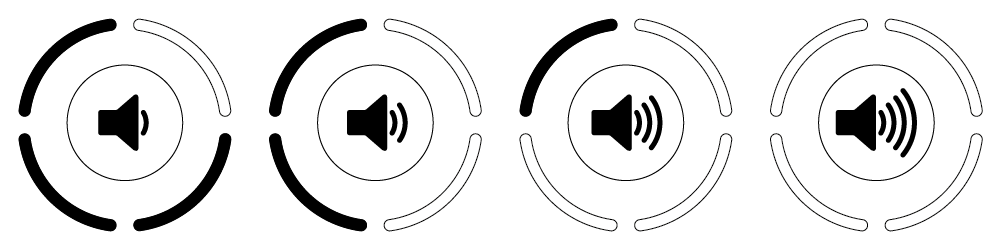
The indicator lights (3) indicate the volume setting.
Note
When playing Bluetooth audio, you can adjust the volume with the DALI KATCH G2 buttons or the volume buttons on your Bluetooth device.
5. Battery charging
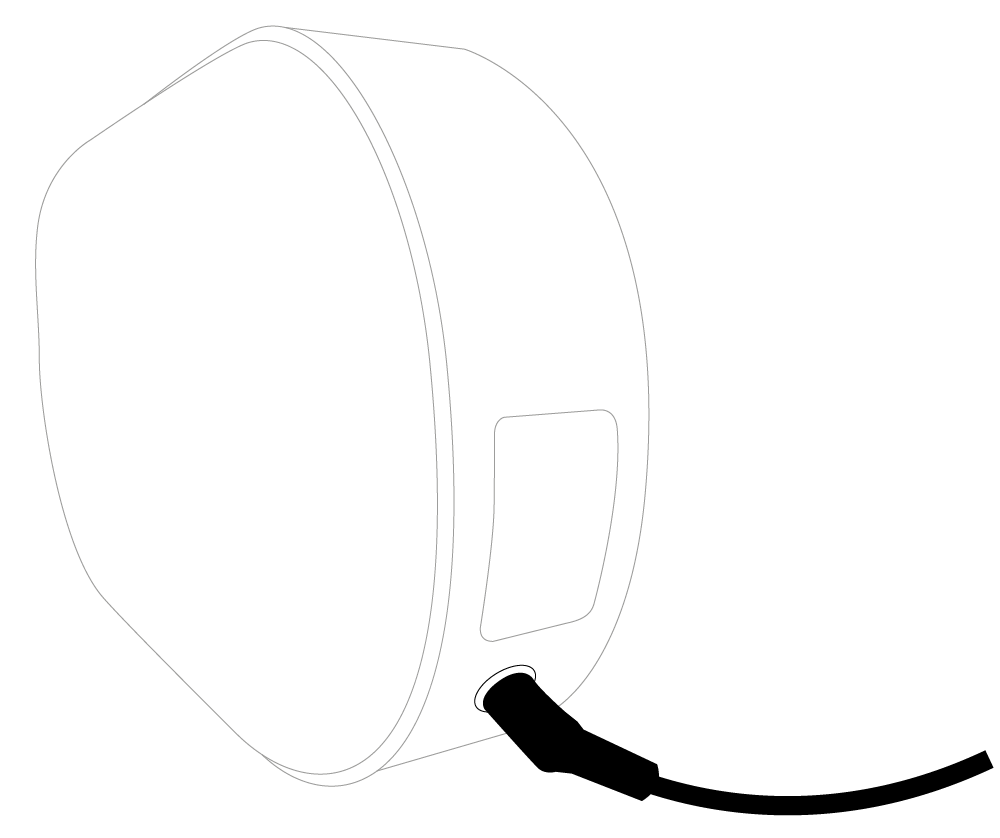
To charge the DALI KATCH G2 internal battery, connect the included mains charger to the DALI KATCH G2 (Connector 9).
Charging will begin as soon as the charger is connected to mains power. The indicator lights will pulse slowly during charging and simultaneously indicate the charge state. A full battery charge will take a little more than 2 hours. Playing music or using the USB charge output (Connector 7) will increase charge time.
With a fully charged battery, your DALI KATCH G2 can play music for up to 30 hours.
Note
Powering the DALI KATCH G2 via the mains charger lets it play louder and with more energy. This is recommended for optimal performance when playing loud party music.
The DALI KATCH G2 has class-leading battery life, but it will vary depending on use. Play your music louder, and the battery will drain a little faster.
6. Bluetooth
Pairing
To connect a Bluetooth audio device to your DALI KATCH G2:
- Switch on the DALI KATCH G2. It will immediately become visible for pairing.
- Initiate Bluetooth pairing from your audio device settings and select “DALI KATCH G2”.
- When pairing is established, the DALI KATCH G2 Bluetooth pairing sound will play, and the indicator lights () will illuminate in blue.
If a Bluetooth audio device has been previously paired with your DALI KATCH G2 and is within range, the DALI KATCH G2 will automatically reconnect to that device.
Two devices can be paired with your DALI KATCH G2 simultaneously; however, only one device at a time will be able to connect and play audio.
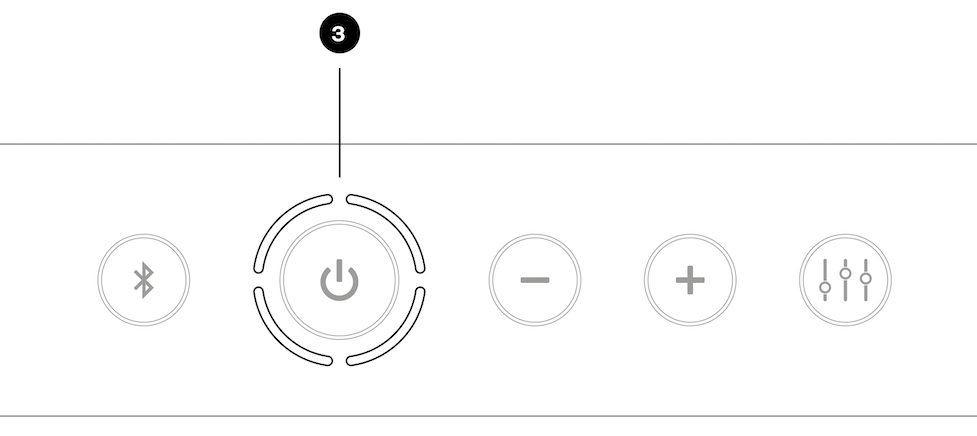
3 – Indicator lights
Note
The DALI KATCH G2 employs Bluetooth 5.0 for enhanced range and connection stability. It supports the aptX HD wireless audio codec for optimum sound quality.
NFC pairing
DALI KATCH G2 Bluetooth pairing can also be initiated using NFC:
- Switch on the DALI KATCH G2.
- Ensure that NFC is enabled in your Bluetooth audio device.
- Locate the NFC sensing area of your Bluetooth audio device.
- Hold the NFC sensing area of the audio device close to the side of your DALI KATCH G2, adjacent to the Power On/Off button (Button 2), as shown in the illustration.
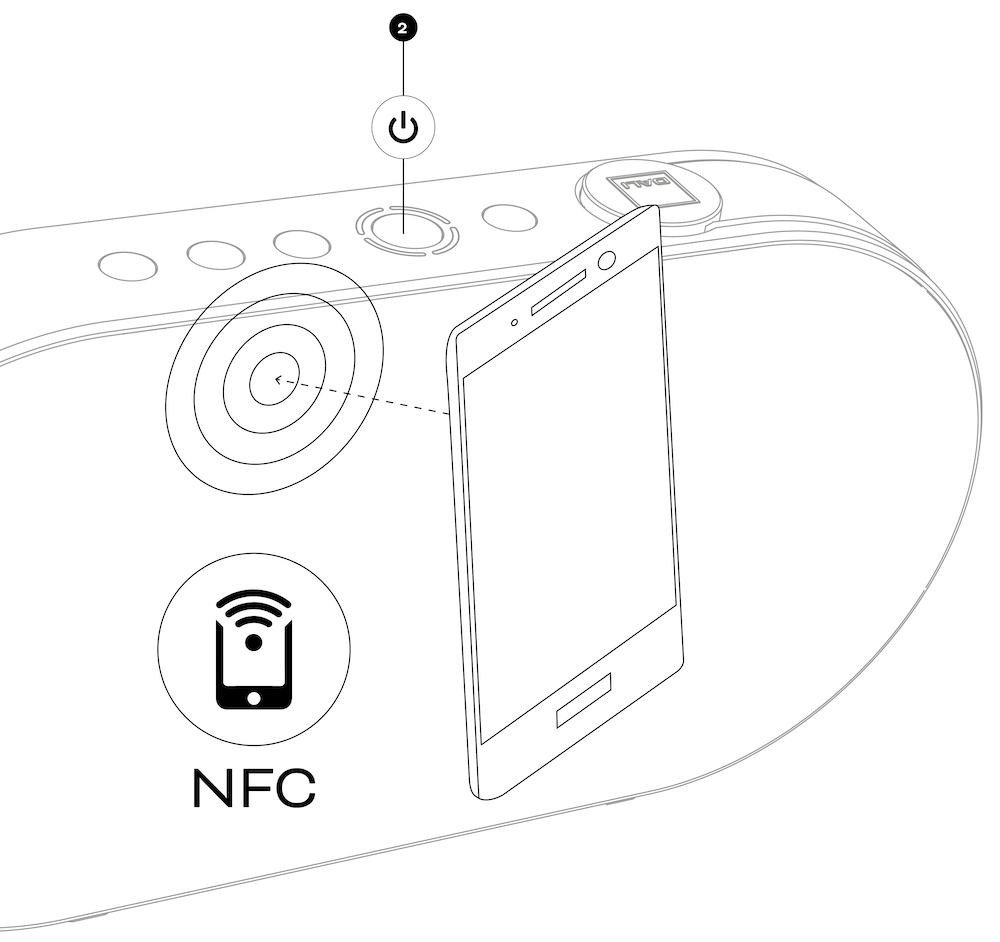
2 – Power on/off
Note
NFC is short for “Near-field Communication”. It employs the same short-range mobile technology used for mobile phone payments. NFC Bluetooth pairing is currently available only with Android mobile devices.
Bluetooth release
If you are unable to pair a Bluetooth device with your DALI KATCH G2, it is likely that two devices are already paired. In this case:
- Press and hold the DALI KATCH G2 Bluetooth release button (Button 1) until the Bluetooth release sound plays and the indicator lights flash blue.
- All paired devices will now be released, enabling two new devices to be paired.
Bluetooth naming
If you have multiple DALI KATCH G2 speakers, you can change their Bluetooth names to keep track of which is which.
- Switch off the DALI KATCH G2.
- Press and hold the Power On/Off button (Button 2).
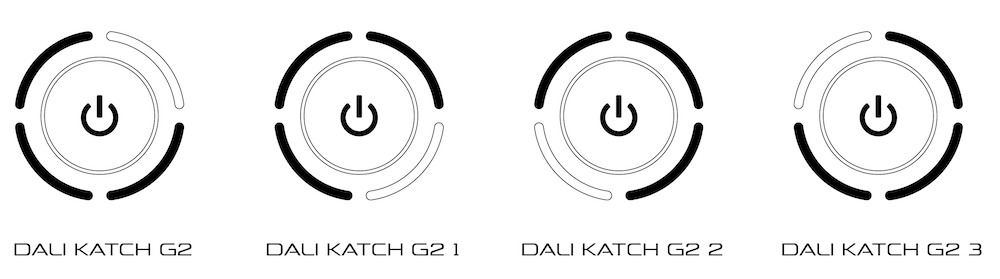
- When the switch-on sound plays, keep holding the Power On/Off button (Button 2), while simultaneously pressing either the Volume Up (Button 5) or Volume Down (Button 4) to scroll through the possible name options (DALI KATCH G2, DALI KATCH G2 1, DALI KATCH G2 2 and DALI KATCH G2 3). The indicator light display for each option is illustrated in the diagram.
7. True Wireless Stereo
It is possible to connect two DALI KATCH G2 speakers in True Wireless Stereo (TWS) mode to create a stereo pair that plays the left and right channels.
To initiate the stereo connection:
- Switch on the first DALI KATCH G2 and pair it with a Bluetooth device. This DALI KATCH G2 will play the left channel when the stereo setup is complete.
- Switch on the second DALI KATCH G2.
- To engage stereo pairing mode, simultaneously press and hold the Bluetooth Release button (Button 1) and the Volume Up (Button 5) on each DALI KATCH G2 speaker in turn until their indicator lights begin blinking white and blue.
- The two DALI KATCH G2 speakers will now connect as a stereo pair. This may take up to 25 seconds. When the TWS connection is established, the Bluetooth connect sound will play from both speakers, and their indicator lights will switch to white.
Volume control will automatically synchronise between the two speakers when using the volume up/down buttons on either speaker.
The two units will stay connected in TWS mode until the connection is manually cancelled.
To cancel TWS Mode, press and hold the Bluetooth release button (Button 1) on either DALI KATCH G2 speaker until the Bluetooth release sound plays.
If TWS mode is cancelled by pressing the right channel DALI KATCH G2 Bluetooth release button (Button 1), the left channel DALI KATCH G2 will remain paired with the Bluetooth device. If TWS mode is cancelled by pressing the left-channel DALI KATCH G2 Bluetooth release button, device pairing will also be terminated.
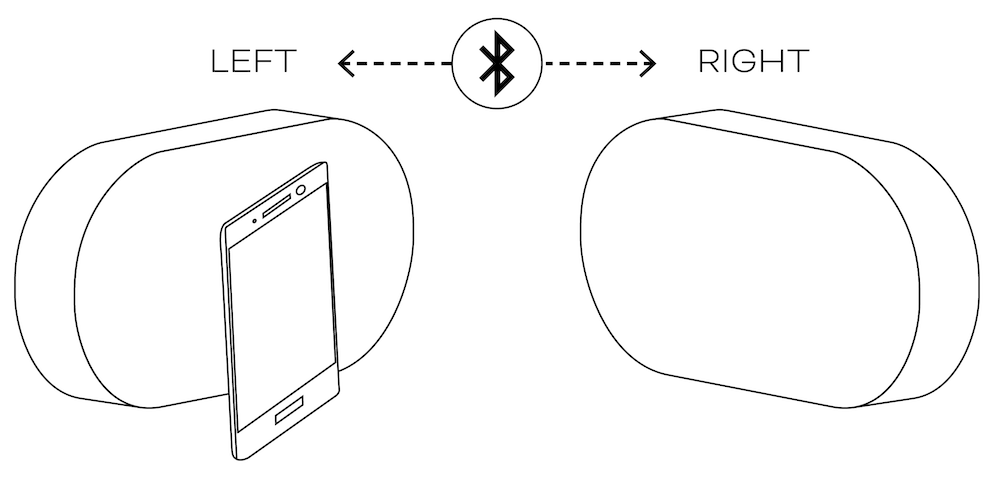
Notes
TWS mode is only available when the DALI KATCH G2 speakers are playing Bluetooth audio.
Both DALI KATCH G2 speakers of a TWS pair are best located in the same room or space. TWS mode is not intended to enable multi-room audio.
In TWS mode, only one device can be paired to the DALI KATCH G2 at a time.
8. Sound modes
DALI KATCH G2 sound mode options provide two alternative sound profiles intended to suit different DALI KATCH G2 locations, audio material or moods. The Clear option emphasises detail and intelligibility, while the Warm option prioritises more relaxed musical enjoyment.
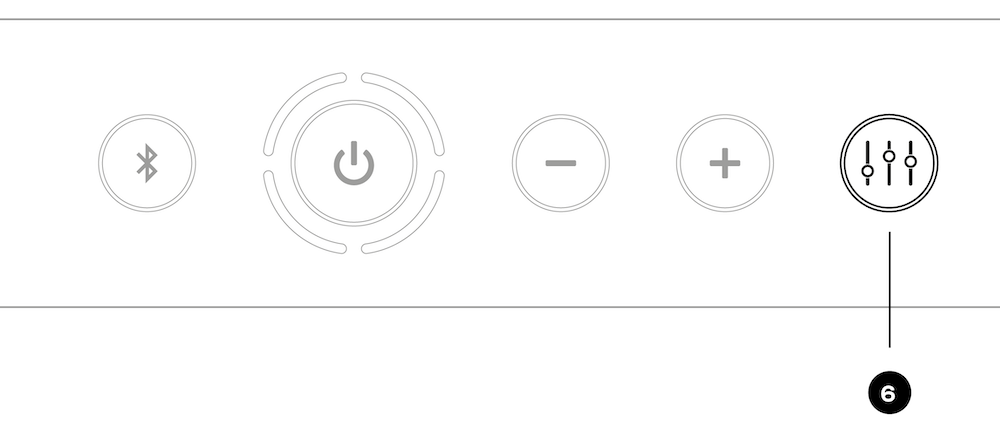
To toggle between the two sound modes, press the Sound Mode button (Button 6). The indicator light display for each option is illustrated in the diagram.
Note
If two DALI KATCH G2 speakers are connected in TWS mode, the sound mode must be adjusted individually on both units.
The DALI KATCH G2 is designed to deliver the best possible sound in all locations, and different locations will be reflected in the sound. For example, placing the DALI KATCH G2 on the floor close to a wall or in a corner will increase the bass level. You can use the Sound Mode options to help match the sound to the location.
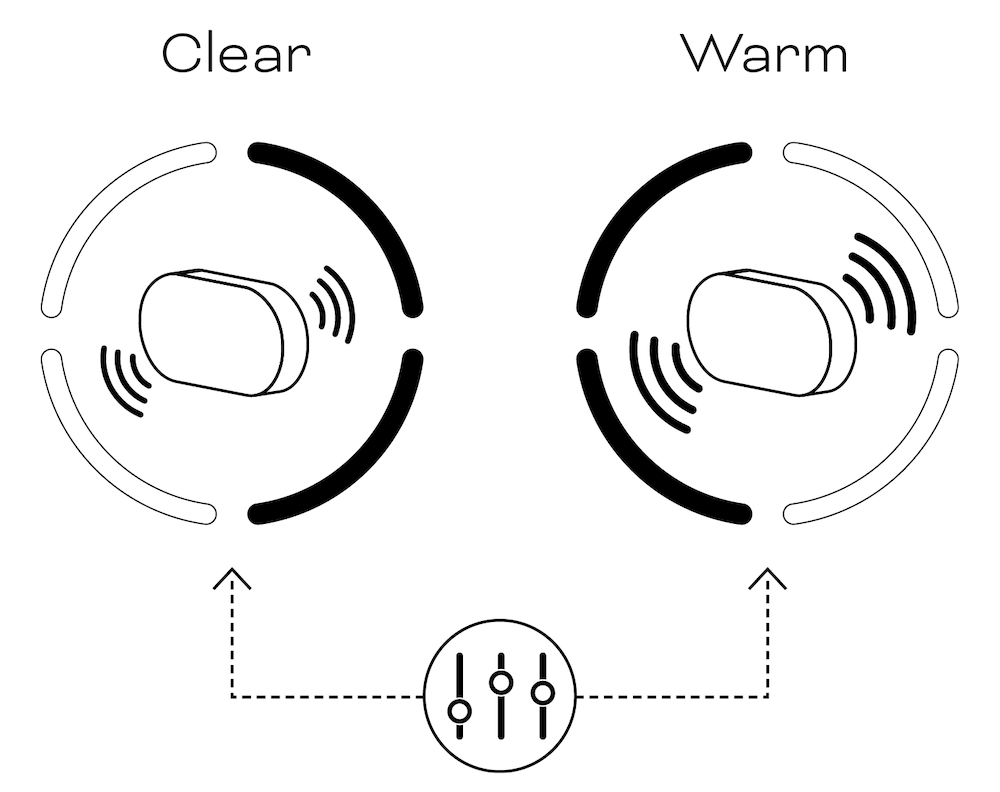
Sound mode 1: “Clear”
Sound mode 2: “Warm”
9. Wired connections
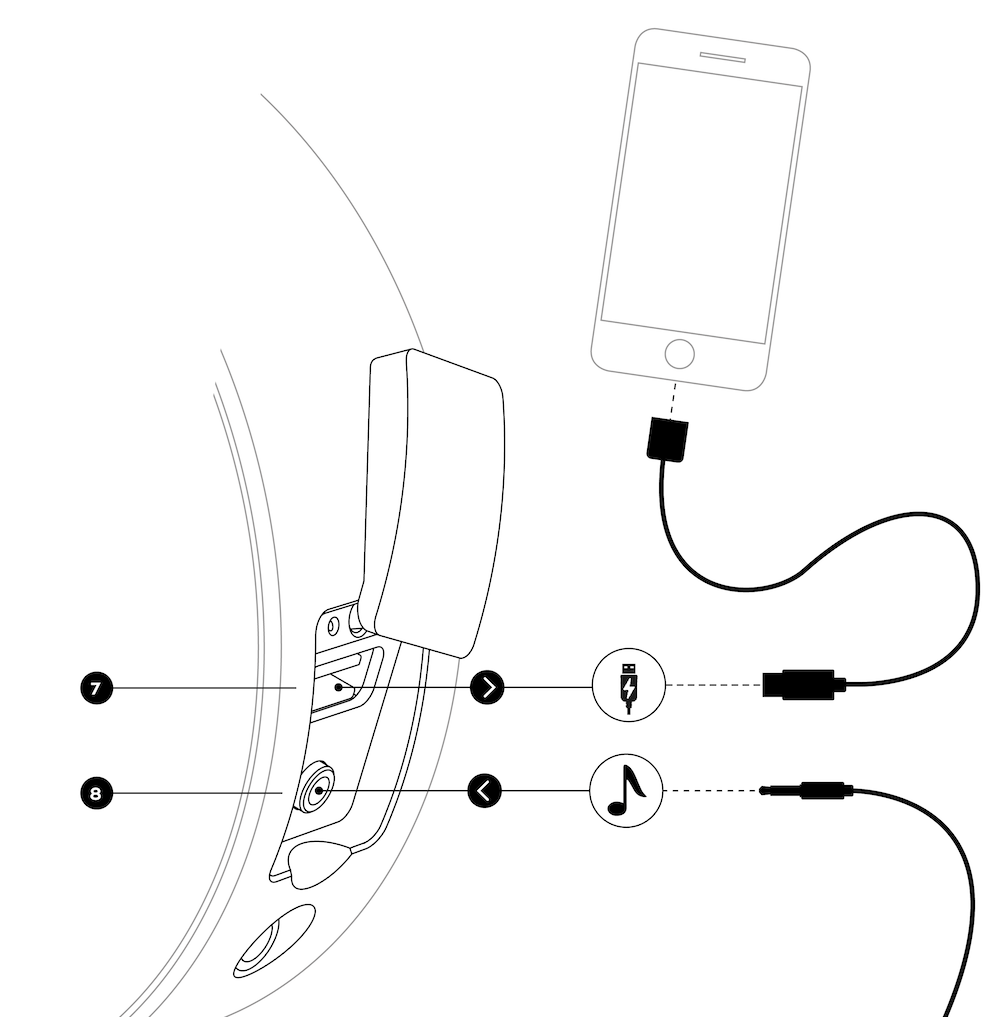
Charging via USB (Connector 7)
The DALI KATCH G2 USB Charge socket supplies up to 1 Amp at 5 Volts and can charge most mobile devices. The Charge socket can also power an external USB device, such as a Google Chromecast Audio dongle, whose audio output can be connected to the DALI KATCH G2 Mini-Jack input.
The USB Charge socket cannot be used for music playback.
Stereo mini-jack (Connector 8)
You can connect wired audio sources to your DALI KATCH G2 using a stereo mini-jack cable. When a mini-jack plug is inserted, the DALI KATCH G2 will automatically switch to the mini-jack input and stop Bluetooth playback. To return the DALI KATCH G2 to Bluetooth playback, unplug the mini-jack or short-press the Bluetooth release button (Button 1). When a mini-jack is connected, the Bluetooth release button (Button 1) acts as a Bluetooth/mini-jack selection toggle.
Notes
As long as it has sufficient battery reserves, your DALI KATCH G2 can charge a mobile device even when it is not connected to mains power. This Power Bank feature means your DALI KATCH G2 can come to the rescue when your phone battery is exhausted.
10. Strap extension
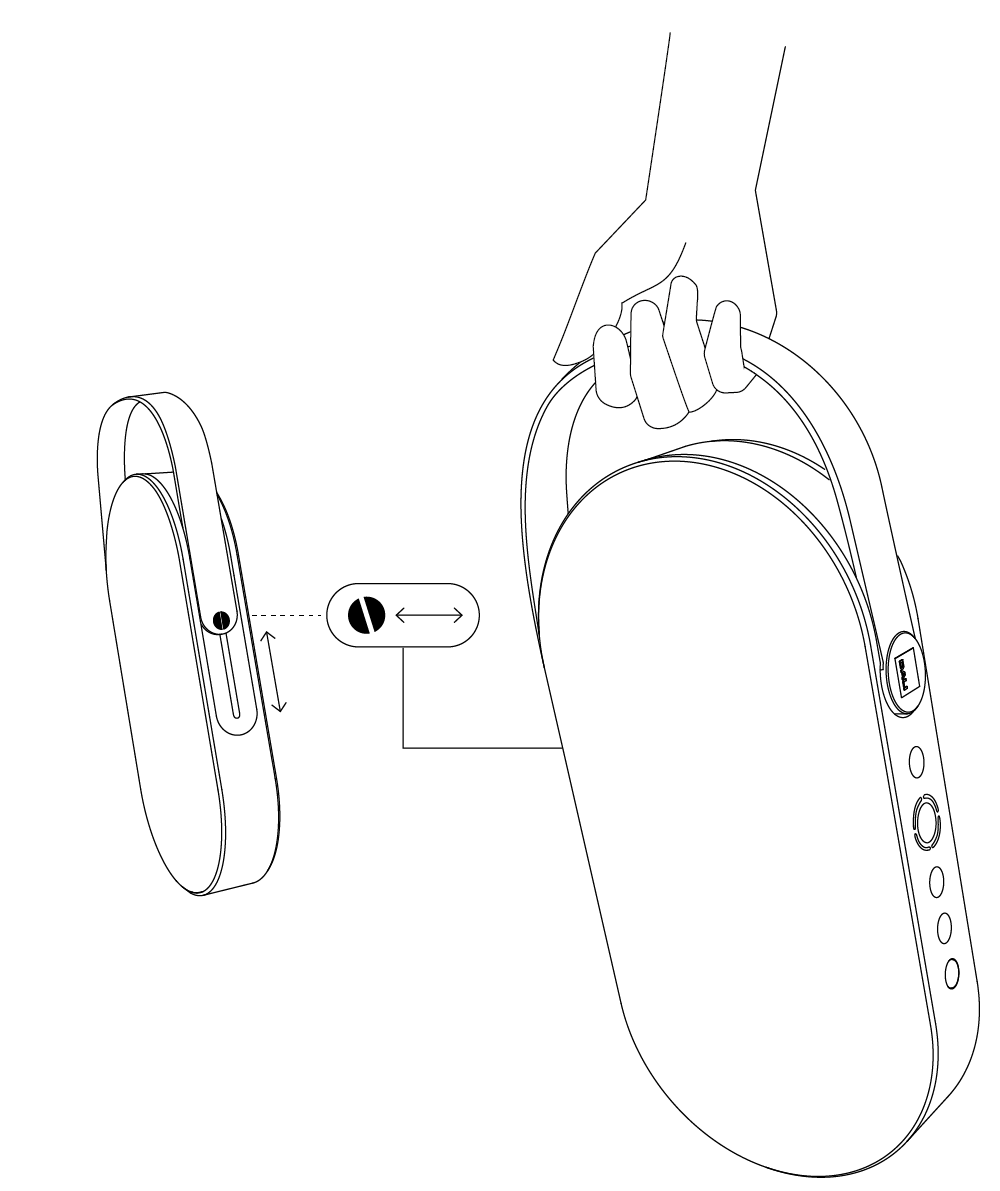
The DALI KATCH G2 leather strap can be extended to act as a handle. You can lock the strap in the extended position by using your thumb to push and release the strap lock on the bottom of the DALI KATCH G2. The reverse manoeuvre will lock the strap back in place.
11. Factory reset and firmware upgrade
Factory reset
To reset your DALI KATCH G2 to its factory default settings:
- Stop any audio playback.
- Switch off the DALI KATCH G2.
- Press and hold the Sound Mode button (Button 6) and press the Power On/Off button (Button 2) until the indicator lights (Lights 3) switch on, one by one.
- Wait for about 10 seconds.
- Switch off the DALI KATCH G2.
- The unit will now switch on with its factory default settings.
Firmware Upgrade
Copy the firmware file to the root directory of a USB memory stick. The file must be named “katch.hex”.
Connect the DALI KATCH G2 to its mains charger and insert the USB memory stick into the DALI KATCH G2 USB Charge socket (Connector 7). Execute steps 1 to 4 of the factory reset.
Factory Reset and Firmware Upgrade
All the indicator lights (Lights 3) switch on, the firmware update sound is played, and the DALI KATCH G2 turns off by itself. Following the reset, the firmware is upgraded.
Note
Check for new firmware versions here:
https://dali-speakers.com/en/products/dali-katch/dali-katch-g2

12. Cleaning your DALI KATCH G2
You can clean your DALI KATCH G2 cabinet with a soft, dry cloth. If the cabinet is particularly grimy, wipe it with a soft cloth dipped in an all-purpose cleaner and well wrung out. Be careful not to get the DALI KATCH G2 wet: it contains electronic components that will be damaged by water.
The travel bag can be cleaned by gently hand-washing it in lukewarm water. It should not be necessary to use any detergent.
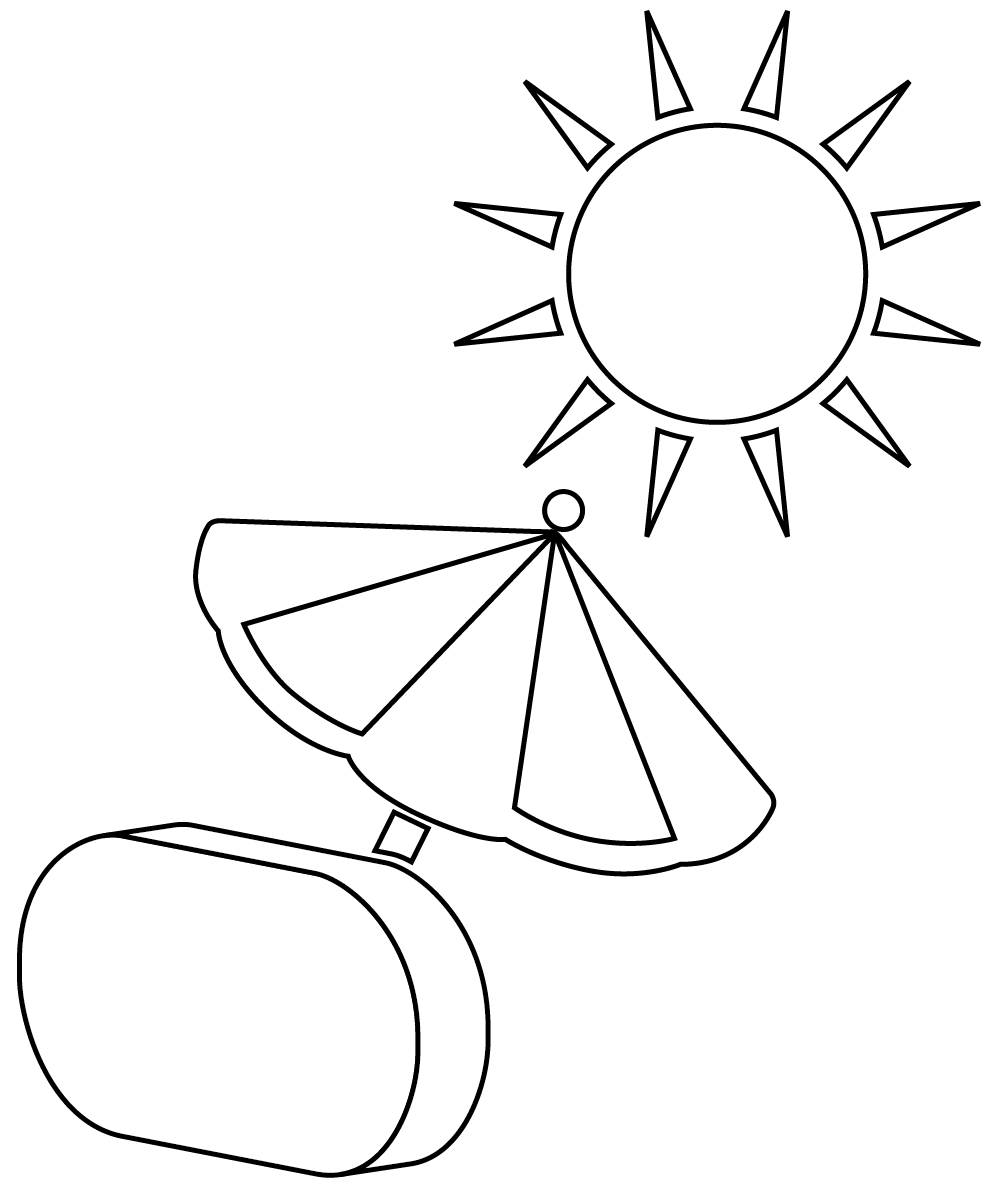
The surfaces of the DALI KATCH G2 may fade or become discoloured over time when exposed to direct sunlight. Avoid leaving your DALI KATCH G2 in direct sunlight for extended periods.
13. Disposal
If you want to dispose of this product, do not mix it with general household waste. There is a separate collection system for used electronic products in accordance with legislation requiring proper treatment, recovery, and recycling. Private households in the EU member states, Switzerland, Liechtenstein and Norway may return their used electronic products free of charge to designated collection facilities or to a retailer (if you purchase a similar new one).
If you reside in a country not mentioned above, please contact your local authorities for the correct method of disposal. By following this process, you will ensure that your disposed product undergoes the necessary treatment, recovery and recycling and thus prevent potential negative effects on the environment and human health.
14. Technical specifications
- Frequency range (+/-3 dB)
-
49 - 23,000 Hz
- Maximum SPL
-
95 dB
- Crossover frequency
-
2300 Hz
- High-frequency driver
-
2 × 21 mm Soft Textile Dome
- Low-frequency driver
-
2 × 3.5” Aluminium Cone With Cloth Cap
- Low-frequency passive driver
-
2 × 73 × 52 mm Steel Cone
- Enclosure type
-
Closed Box With Dual Passive Radiators
- Power output
-
2 × 25 W
- Connection input
-
3.5 mm mini jack Stereo
- Wireless inputs
-
Bluetooth™ 5.0. aptX, aptX HD, AAC
- Connection outputs
-
USB Charge (5V/1A)
- Amplifier type
-
Fully digital Class D
- Battery type
-
Li-Ion 3300 mAh
- Battery playback time
-
Up to 30 hours
- Battery charge time
-
Up to 2 hours
- Recommended placement
-
Shelf
-
Table
-
Hanging from strap
- Functions
-
Dual Sound Mode (Clear/Warm)
-
Stereo pair mode
-
Power on/off
-
Audio source select
-
Standby (Auto Power) Off
-
Volume
-
NFC Pairing
- Standby power consumption
-
< 0.3 W (Mains Adapter)
- Dimensions (height × width × depth)
-
138 × 268.5 × 47 mm
- Weight
-
1.1 kg
- Included accessories
-
Universal mains adapter (cable length: 1.75 m)
-
Quick start guide
-
Mains charger plugs
-
Travel bag
- Enclosure finishes
-
Iron Black
-
Caramel White
-
Chilly Blue
Technical specifications

- 138 mm

- 268,5 mm

- mm